








Introduction
“This guide outlines 10 proven React performance optimization techniques — including memoization, code‑splitting, list virtualization, and bundle analysis — to help your app load faster, run smoother, and convert better.”
Your React app doesn’t need more features— it needs to be faster, leaner, and smarter.
In today’s fast-paced digital world, users abandon apps in just 3 seconds if performance lags.
Here’s the reality:
- 70% of consumers say site speed directly impacts their willingness to buy. Source:
- Companies optimizing web performance see an average conversion boost of 15-30%.
React is powerful, but without the right performance strategies, your beautifully designed UI can secretly drain resources, trigger unnecessary re-renders, and make your app crawl.
But don’t worry—this blog unpacks battle-tested, real-world techniques to squeeze every ounce of speed from your React app. From code-splitting to React. Memo hacks, let’s turn your lagging interface into a high-performance machine.
Ready to make your React app feel buttery smooth? Let’s dive in.
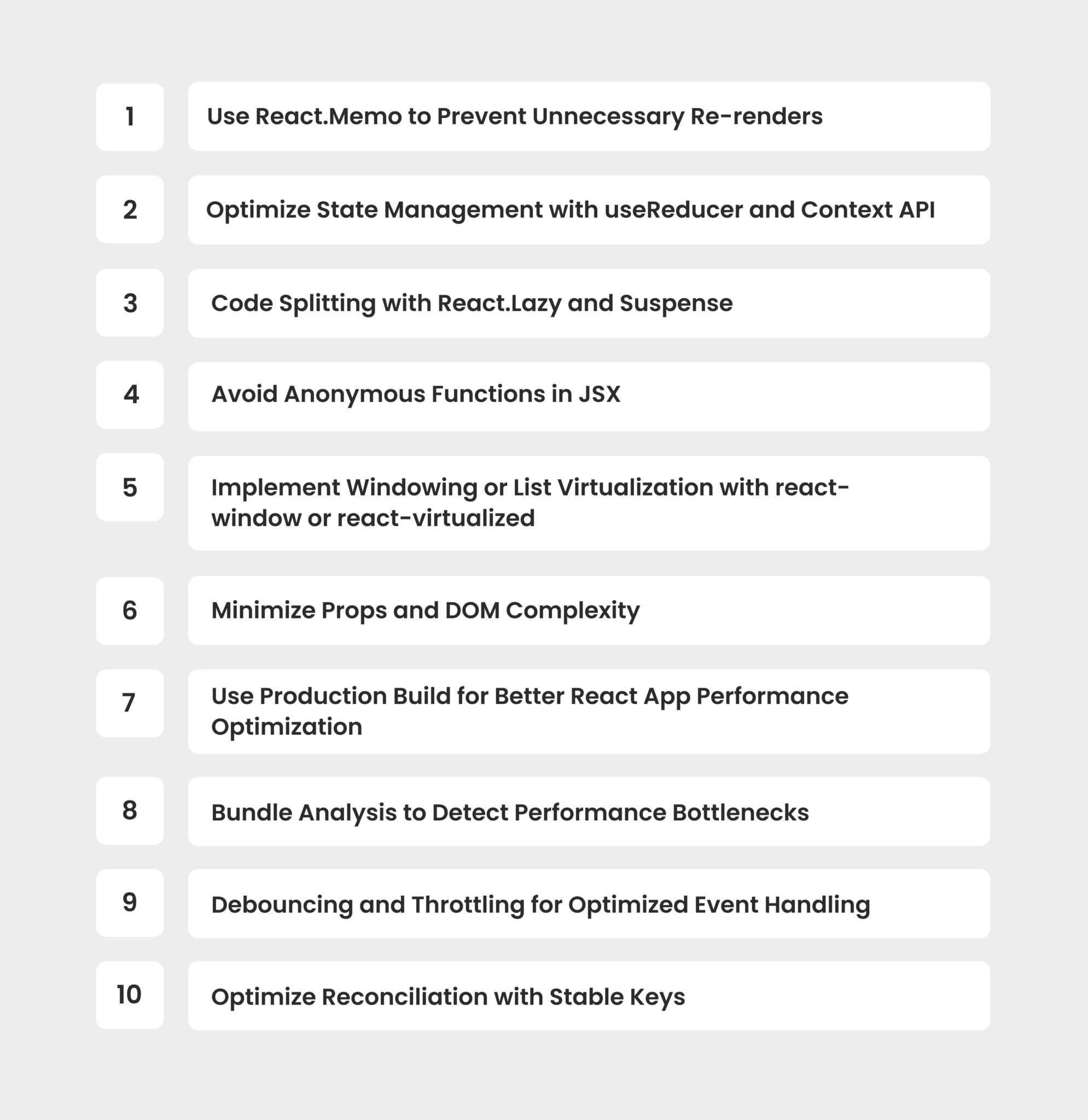
10 Performance Optimization Techniques in React You Should Know in 2025!
Use React.memo – prevent re‑renders of pure functional components.
State Management – useReducer + Context to minimize props drilling.
Code‑Splitting – lazy load routes/features via React.lazy + Suspense.
Avoid Inline Callbacks – wrap handlers in useCallback to stabilize props.
List Virtualization – use react‑window to render only visible list items.
Flatten Props & DOM – reduce nested components and deep prop trees.
Production Build – always ship the
npm run buildoptimized bundle.Bundle Analysis – detect large dependencies via webpack‑bundle‑analyzer.
Debounce/Throttle Events – wrap high-frequency events with lodash utility.
Stable Keys – ensure list items use unique, invariant keys (like
item.id).
1. Use React.Memo to Prevent Unnecessary Re-renders
One of the simplest yet most effective React performance optimization techniques is leveraging React. memo. By default, React re-renders child components whenever a parent updates—even if the props remain unchanged. This can slow down your React app performance, especially for complex UI trees.
How React. memo Works:
React. Memo is a higher-order component that memoizes the result of a functional component. It only re-renders the component if its props change.
Example:
      import React from "react";

const Button = React.memo(({ onClick, label }) => {
  console.log("Rendering Button:", label);
  return <button onClick={onClick}>{label}</button>;
});

export default Button;
Tips:
- Use React.Memo for presentational components that depend on props.
- Combine with useCallback to ensure prop functions don’t trigger re-renders.
This simple trick is crucial for React performance optimization, helping reduce unnecessary rendering cycles and boosting overall React app performance.
2. Optimize State Management with useReducer and Context API
Improper state management can bog down your app, leading to avoidable re-renders and sluggish performance. For better React optimization techniques, manage global and complex states efficiently using useReducer with the Context API.
Example:
      import React, { useReducer, createContext, useContext } from "react";

const initialState = { count: 0 };

function reducer(state, action) {
  switch (action.type) {
    case "increment":
      return { count: state.count + 1 };
    default:
      return state;
  }
}

const CountContext = createContext();

export const CountProvider = ({ children }) => {
  const [state, dispatch] = useReducer(reducer, initialState);
  return (
    <CountContext.Provider value={{ state, dispatch }}>
      {children}
    </CountContext.Provider>
  );
};

export const useCount = () => useContext(CountContext);
Tips for performance optimization techniques in React:
- Avoid unnecessary state lifts to higher components.
- Limit global state to only what’s necessary.
- Prefer useReducer for complex state logic, as it minimizes re-renders compared to useState.
Efficient state management reduces component tree updates, enhancing React app performance optimization, especially for large-scale apps.
3. Code Splitting with React.Lazy and Suspense
Bundling your entire app into a single file hurts load times. Code splitting ensures users only download the code required for the current view, which helps with performance optimization techniques in React.
React.lazy enables components to be loaded on demand, only when they’re actually needed, helping reduce your initial bundle size.
When paired with Suspense, it lets you display a fallback UI (like a loader or placeholder) while the component loads in the background, delivering a smoother, faster user experience.
Example:
      import React, { Suspense } from "react";

const LazyComponent = React.lazy(() => import("./MyComponent"));

function App() {
  return (
    <div>
      <h1>My React App</h1>
      <Suspense fallback={<div>Loading...</div>}>
        <LazyComponent />
      </Suspense>
    </div>
  );
}

export default App;
Tips for better React app performance optimization:
- Use React. lazy for route-based or feature-based component loading.
- Implement dynamic imports for heavy third-party libraries.
- Always provide user-friendly fallback UIs in Suspense.
Why it matters: Performance optimization techniques in React, like code splitting, drastically reduce initial load times, leading to faster, responsive apps.
4. Avoid Anonymous Functions in JSX
Anonymous functions inside JSX cause new function instances to be created on every render, triggering unnecessary re-renders of child components, hurting your performance optimization techniques in React.
Example of What NOT to Do:
<MyButton onClick={() => handleClick()} />
Optimized Approach Using useCallback:
      import React, { useCallback } from "react";

const MyComponent = () => {
  const handleClick = useCallback(() => {
    console.log("Button clicked");
  }, []);

  return <MyButton onClick={handleClick} />;
};
More React app performance optimization techniques: Wrap callback functions with useCallback to preserve their references. This is especially useful when passing functions as props to memoized child components & helps reduce re-renders, enhancing React app performance.
5. Implement Windowing or List Virtualization with react-window or react-virtualized
Rendering long lists can destroy performance, especially with thousands of DOM nodes. React optimization techniques like list virtualization ensure only visible items are rendered, dramatically improving efficiency.
Example Using react-window:
      import { FixedSizeList as List } from "react-window";

const MyList = () => (
  <List height={500} itemCount={1000} itemSize={35} width="100%">
    {({ index, style }) => <div style={style}>Item {index}</div>}
  </List>
);
Tips for performance optimization techniques in React: Use react-window for lightweight virtualization & use react-virtualized for advanced list and table performance. Data-heavy apps need to maintain excellent React app performance optimization.
6. Minimize Props and DOM Complexity
Passing excessive props or creating deeply nested component structures increases rendering time, making your app sluggish. One of the simplest React performance optimization techniques is reducing prop complexity and flattening the DOM.
Here’s how you can do it.
      // Instead of deeply nesting:
<Parent>
  <Child>
    <SubChild>
      <AnotherChild prop1={value1} prop2={value2} prop3={value3} />
    </SubChild>
  </Child>
</Parent>

// Flatten components where possible:
<OptimizedComponent prop1={value1} prop2={value2} />
Here are more tips for React optimization techniques that might help: Keep prop chains short and meaningful & flatten the DOM where possible to reduce complexity.
7. Use Production Build for Better React App Performance Optimization
React’s development build includes helpful warnings and error checks, but it’s not optimized for performance. Always ensure your app uses the production build, which is minified, optimized, and free of unnecessary overhead.
How to Create a Production Build
For Create React App:
npm run build
This generates an optimized build folder ready for deployment.
Tips for React app performance optimization:
- Use tools like serve to preview your production build:
- Ensure your server is serving compressed, minified assets.
- In Next.js or similar frameworks, always enable production mode.
Also Read: Difference Between Next.js and React.js:
Why it matters: Running development builds in production can severely degrade React app performance, making this one of the most basic yet crucial React app performance optimization techniques.
8. Bundle Analysis to Detect Performance Bottlenecks
Large bundle sizes are silent killers for app speed. Using tools like Webpack Bundle Analyzer helps visualize your bundle, identify heavy dependencies, and implement targeted React performance optimization techniques.
How do I test bundle size effectively?
Use tools like webpack-bundle-analyzer or SourceMap Explorer to identify and trim heavy dependencies.
How to Analyze Your Bundle?
Install the analyzer:
npm install-- save-dev webpack-bundle-analyzer
Add to your Webpack config:
      const BundleAnalyzerPlugin = require('webpack-bundle-analyzer').BundleAnalyzerPlugin;

module.exports = {
  plugins: [new BundleAnalyzerPlugin()],
};
Tips for React optimization techniques: Look for large third-party libraries and replace them with lightweight alternatives. Also, implement code splitting to isolate heavy modules & optimize images, fonts, and other static assets for faster load times.
Why it matters: Bundle size has a direct impact on performance optimization techniques in react, affecting both initial load times and runtime speed.
9. Debouncing and Throttling for Optimized Event Handling
High-frequency events like scroll, resize, or rapid input changes can cause excessive re-renders and UI lag. Debouncing and throttling are essential performance optimization techniques in React to limit event executions and keep your app smooth.
Debounce Example with Lodash:
      import { debounce } from "lodash";

const handleResize = debounce(() => {
  console.log("Resized!");
}, 300);

window.addEventListener("resize", handleResize);
Throttle Example with Lodash:
      import { throttle } from "lodash";

const handleScroll = throttle(() => {
  console.log("Scrolled!");
}, 200);

window.addEventListener("scroll", handleScroll);
Tips for performance optimization techniques in React: Use debounce for input fields to delay state updates, use throttle for scroll, resize, or mouse move events to control execution rates to prevent bottlenecks and improve React app performance on resource-heavy tasks.
10. Optimize Reconciliation with Stable Keys
A subtle yet critical React performance optimization technique is using stable, unique keys for lists. The React reconciliation algorithm uses keys to identify items that have changed, been added to, or removed. Poor key management can trigger unnecessary re-renders, hurting React app performance.
Common Mistake:
      {items.map((item) => (
  <div key={Math.random()}>{item.name}</div>
))}
Using Math.random() or array index as a key creates new keys every render, forcing React to re-render entire lists.
Optimized Approach with Stable Keys:
      {items.map((item) => (
  <div key={item.id}>{item.name}</div>
))}
Best Practices: Proper keys improve diffing efficiency during virtual DOM reconciliation, ensuring smooth re-render cycles and improved React app performance optimization, especially for dynamic lists or complex UI components.
Implement these 10 wins the right way—without regressions.
To Wrap it Up!
Optimizing a React application isn’t just about writing good code — it’s about paying attention to the small details that collectively make your app faster, smoother, and more reliable.
If you ever feel like your React project could use a second pair of eyes or some technical support, the team at Enstacked is always happy to help. We’ve worked with businesses across different industries to build, scale, and fine-tune high-performing React applications.
Connect with us, let’s discuss how things can move forward & if everything goes well, you can hire dedicated developers through Enstacked to get the flexibility and expertise you need.
Frequently Asked Questions(FAQs)
Lazy loading in React means loading components, images, or assets only when they are needed, reducing initial load time – it’s a key part of React performance optimization techniques for faster, smoother apps.
You can prevent unnecessary renders in React by using React. Memo, useCallback, useMemo, and ensuring proper state management help improve overall app performance.
Common techniques include memoization (React.memo), code splitting with React. lazy, virtualizing long lists with React-Window, and using production builds.

