



Gearing Up!
If you run a Shopify store, here’s a hard truth: your sales, stock levels, and financials should never live in separate worlds.
Yet most brands still manage Shopify orders on one side… and Xero accounts on the other.
That gap is where mistakes happen.
- Wrong stock numbers.
- Confusing payouts.
- Revenue that doesn’t match your reports.
And suddenly your growing store is running on guesswork.
This is exactly why Shopify Xero integration is no longer just a nice-to-have.
It’s the system upgrade that makes your inventory, financials, and order data speak the same language, automatically.
But the real questions you’re probably asking:
- What’s the best way to integrate Shopify and Xero?
- Does Shopify Xero inventory integration actually sync stock properly?
- How do payouts, taxes, refunds, and fees get tracked?
- And what does the full Xero Shopify integration cost in 2025?
This guide breaks all of it down in a straight-to-the-point way, so you understand exactly how to connect Shopify and Xero without getting buried in accounting jargon.
Because the truth is simple: When your storefront and your financial backend move in sync, you stop reacting… and start scaling.
Review from one of the Small Businesses on Reddit!
Once we connected Shopify to Xero, our reconciliation went from chaotic to clean. It literally turned a 3-hour weekly task into a 10-minute review.
Source (Reddit r/smallbusiness discussion):
What Is Shopify Xero Integration?
Shopify and Xero integration simply means connecting your Shopify store with your Xero account so that both platforms automatically share financial and inventory data. Xero is used by over 3.95 million subscribers worldwide! Instead of manually entering orders, invoices, payouts, and stock updates, the integration keeps everything synced in real time.
Think of it like this:
Shopify runs the front-end of your business, including products, orders, customers, checkout, and inventory. Xero manages the back-end, accounting, bookkeeping, taxes, bank reconciliation, and reporting.
When you integrate the two, you create a single, clean workflow where:
- Every Shopify order becomes an invoice or sales record in Xero
- Payments, taxes, discounts, and fees sync automatically
- Refunds and cancellations reflect instantly
- Inventory levels update in both systems
- You get accurate financial statements without manual work
Also Read: 10 Best Shopify Plugins in 2025 (you Probably Missing #7)
How To Do Shopify and Xero Integration: A Practical Step-By-Step Guide
Setting up Shopify and Xero integration is more than just installing an app. The real value comes from configuring it correctly so your sales data, taxes, payouts, and inventory-related financials stay clean and accurate as you scale.
Below is the structured, client-ready process we follow as a Shopify development company, the best way to integrate Shopify and Xero for long-term accuracy, compliance, and visibility.
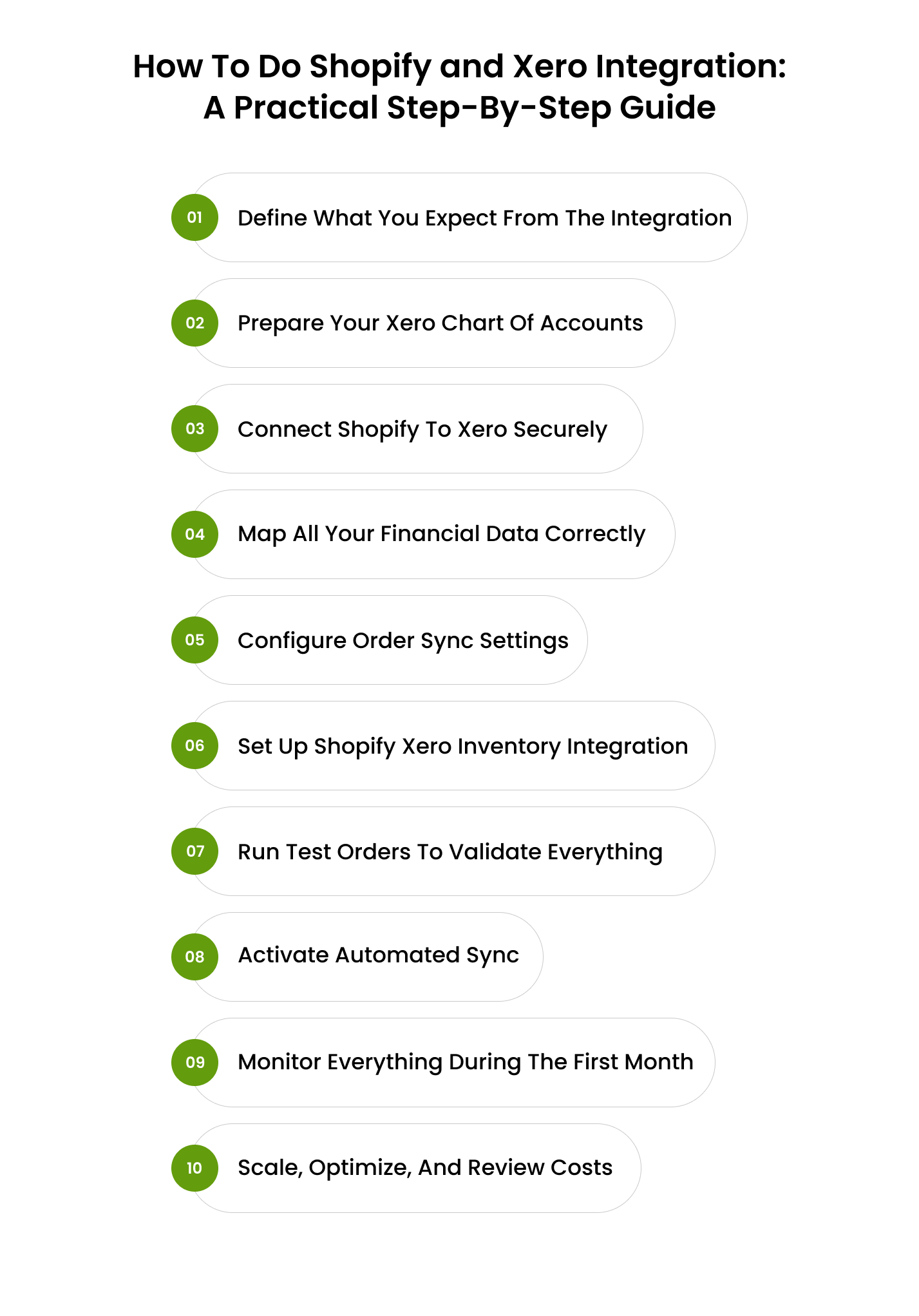
Step 1: Define What You Expect From The Integration
Before syncing anything, we clarify what the business actually needs:
- Automated financial sync (orders → Xero)
- Taxes, discounts, shipping, and fees are mapped accurately
- Clean reconciliation for payouts
- Optional Shopify Xero inventory integration for COGS and stock valuation
- Whether each order needs to sync individually or through daily summaries
This ensures the integration supports your financial structure instead of complicating it.
Did you know, Shopify merchants using accounting integrations save up to 30 hours per month on bookkeeping.
Step 2: Prepare Your Xero Chart Of Accounts
A successful Shopify and Xero integration depends on a clean accounting foundation. We prepare dedicated eCommerce-ready accounts inside Xero:
- Shopify sales
- Shipping income
- Discounts
- Refunds
- Merchant fees (Shopify Payments, PayPal, Stripe)
- Inventory asset
- Cost of goods sold (COGS)
- Regional tax accounts
This structure reduces errors and keeps your books integration-ready.
Step 3: Connect Shopify To Xero Securely
Once the accounts are ready, we authenticate the connection:
- Log in to Shopify
- Connect to Xero using secure OAuth
- Approve data access between both systems
At this point, Shopify and Xero are linked, but the real work begins with configuration.
Step 4: Map All Your Financial Data Correctly
This is one of the most important steps in the best way to integrate Shopify and Xero. Throughout the step, we map every Shopify transaction component to the right Xero accounts:
- Product revenue → Sales
- Taxes → Correct regional tax rate
- Shipping charges → Shipping income
- Discounts → Promotions/discount account
- Refunds → Returns account
- Payment gateway fees → Merchant fees
- Inventory and COGS → Accounting-side inventory accounts
Accurate mapping avoids future issues like mismatched revenue, incorrect taxes, or reconciliation errors.
Step 5: Configure Order Sync Settings
Different businesses need different sync rules, so we customise how the integration works:
- Sync per order or daily summary
- Sync when the order is created or when the payment is captured
- Include or exclude draft orders
- Sync line items with taxes, discounts, and shipping details
This personalisation ensures that Shopify Xero integration fits your internal finance workflow.
Step 6: Set Up Shopify Xero Inventory Integration (If Required)
Inventory is often misunderstood. Shopify manages real-time quantities; Xero handles financial valuation.
For clients needing Shopify Xero inventory integration, we:
- Map Inventory, Assets, and COGS accounts
- Set product tracking preferences
- Ensure stock reduction in Shopify updates Xero’s financial side correctly
- Maintain Shopify as the live source of truth for stock levels
This gives you accurate margin reporting without disrupting your operations.
Step 7: Run Test Orders To Validate Everything
Before full automation, we create controlled test orders:
- A standard paid order
- A discounted order
- A refunded order
- A multi-tax order (if applicable)
- Orders across different payment gateways
Then we verify how each entry appears in Xero:
- Are sales mapped correctly?
- Are taxes accurate?
- Are merchant fees recorded?
- Are refunds handled properly?
- Are COGS and inventory values correct (if enabled)?
This prevents long-term accounting and reconciliation issues.
Step 8: Activate Automated Sync
Once testing is flawless, we turn on automated sync. From this point, the Shopify Xero integration runs in the background:
- Orders
- Taxes
- Fees
- Shipping income
- Refunds
- Inventory values (if enabled)
flow into Xero automatically with no manual work.
Step 9: Monitor Everything During The First Month
For the first few weeks, we keep an eye on:
- Bank reconciliations
- Shopify Payments payouts
- Tax reporting
- High-volume sales days
- Inventory valuation accuracy
- Unexpected mapping mismatches
Catching issues early keeps the books clean throughout the year.
Step 10: Scale, Optimise, And Review Costs
As your business grows, your integration needs evolve. We help you adjust:
- Switch from order-level sync to daily summaries for large volumes
- Update mapping for new sales channels
- Adapt tax settings if you enter new regions
- Fine-tune inventory and COGS tracking
- Evaluate the Xero Shopify integration cost to ensure you aren’t overpaying
This ensures your integration remains efficient and cost-effective as your Shopify store scales.
Also Read: 11 Shopify Features to Level Up Your Store in 2025
To Wrap!
The real win with Shopify and Xero integration isn’t just getting data into the system.
It’s creating a financial environment where:
- sales and payouts match instantly
- taxes and fees don’t become month-end surprises
- Inventory updates stay in sync
- Your numbers tell the truth, every single day
It saves you hours, protects your margins, and gives you clarity you can’t get from scattered spreadsheets or last-minute bookkeeping.
And if you don’t want to handle all of this alone…Enstacked can take the heavy lifting off your plate. You can hire a Shopify developer, get support for your Shopify–Xero integration, or even outsource the entire project to our experienced ecommerce team.
If you’re ready to build a smoother, smarter, growth-ready Shopify setup. Book a free consultation with Enstacked, and let’s get your integration right from day one.
Frequently Asked Questions(FAQs)
Shopify integrates with Xero, QuickBooks, Zoho Books, FreshBooks, and Sage using third-party apps or native connectors. For e-commerce automation, the strongest results come from Shopify and Xero integration tools like A2X.
Yes. Shopify payouts are automatically reconciled in Xero. The integration separates sales, fees, discounts, refunds, and tax amounts so your Xero reconciliation is accurate with one click.
Both work, but Xero is better for Shopify accounting due to stronger e-commerce automation, multi-currency support, and seamless Shopify Xero integration options.
Yes. Whether done manually or through an app, Shopify Xero integration can record refunds, discounts, payment gateway fees, shipping charges, and tax adjustments accurately inside Xero.

