









Introduction
You’ve built your website with React, and it looks amazing, fast, smooth, and modern. But when you search for it on Google, it doesn’t show up where you expected.
That’s when most developers ask the same question: how do you make a React website SEO friendly?
The truth is, SEO in a React website can be tricky. React focuses on building great user experiences, but search engines like Google care about readable content and quick access to page data. When everything loads dynamically, crawlers often miss what’s really on your site.
The good news? You don’t have to choose between performance and visibility. With a few smart React SEO best practices, you can get both a fast app and great rankings.
A case study by SearchPilot found that converting product pages to a well-implemented React setup (with server-side rendering) resulted in a 13% uplift in organic traffic compared to the previous version.
In this guide, we’ll talk about practical ways to make React SEO friendly, from using server-side rendering to managing meta tags and optimizing routes. By the end, you’ll know how to handle React SEO optimization the right way and help your React site perform just as well on search engines as it does for users.
How to Improve the SEO of a React Website?
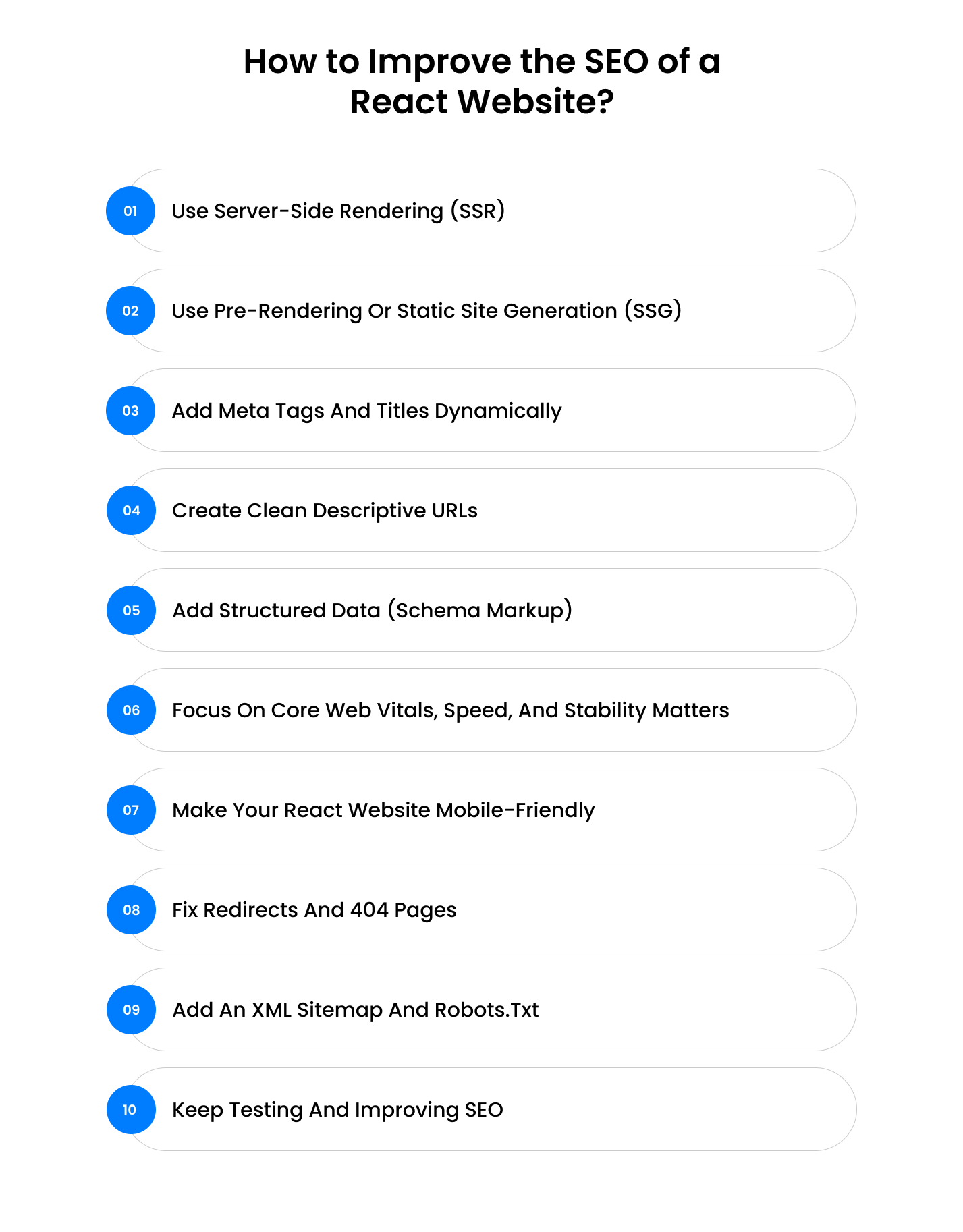
In this section, we’ll go beyond surface-level fixes and look at the practical React SEO best practices that actually move the needle. Think of it as your blueprint for making React and SEO work in sync, where every technical improvement directly supports better visibility, performance, and user experience.
1. Use Server-Side Rendering (SSR) — Let Google See Your Content Instantly
One of the biggest challenges in SEO for a React website is that React apps usually load content using JavaScript. When a search engine visits your page, it might only see an empty <div> before the scripts finish running. Google can process JavaScript, but it doesn’t always do it efficiently, which can delay indexing or cause missed content.
That’s where Server-Side Rendering (SSR) steps in. With SSR, your server generates the full HTML page, text, images, and all before sending it to the browser. That means both users and search crawlers immediately see a complete page.
How to implement it easily:
- Use Next.js (the most popular SEO-friendly React framework).
- Create your pages using getServerSideProps().
- Host on a platform like Vercel or Netlify — they handle SSR out of the box.
Why it helps: SSR eliminates the delay between page load and content visibility. That improves your React SEO optimization, increases organic impressions, and boosts user engagement since the page feels faster.
Learn more about Server Side Rendering in React : Complete SSR Checklist
2. Use Pre-Rendering or Static Site Generation (SSG), Perfect for Blogs and Product Pages
If your content doesn’t change very often, pre-rendering (also called Static Site Generation or SSG) is the easiest way to make React SEO friendly. Instead of rendering content every time someone visits, SSG builds all your pages into static HTML files during deployment.
Why this works: Search engines love static HTML because it’s instantly readable. No JavaScript execution, no delay, just fast, complete content ready to index.
Pre-rendered pages are fast, stable, and fully crawlable. This simple shift can make a major difference in how your site ranks and performs, especially if you’re targeting competitive search terms.
How to apply it:
- Use Next.js getStaticProps() or Gatsby to pre-render pages.
- Ideal for blogs, portfolios, and product catalogs.
- When you update content, rebuild only the affected pages — it’s fast and automatic.
Example: A React-based fashion brand used SSG for its collection pages and reduced page load time from 3.2 seconds to 1.1 seconds. That alone helped improve its average ranking positions by 12% over 8 weeks.
Pro tip: Combine SSG with Incremental Static Regeneration (ISR) in Next.js. This keeps static pages fresh without full rebuilds.
Also read : Difference Between Next.js and React.js
3. Add Meta Tags and Titles Dynamically, Help Google Understand Every Page
Every page on your site tells a story, but search engines only know what you tell them. That’s why managing meta tags is one of the most important React SEO best practices.
Without dynamic meta tags, all your pages can appear identical to Google, same title same description, which hurts your SEO. Adding unique tags helps your site stand out and improves click-through rates.
How to do it: Install React Helmet (or react-helmet-async if you’re using SSR) and use it to set dynamic titles and meta descriptions.
Example:
      import { Helmet } from "react-helmet";

<Helmet>
  <title>Buy Organic Hair Oil | Natural Products by Herbishh</title>
  <meta name="description" content=" Shop 100% organic hair oils and natural beauty products. Learn how to make a React website SEO friendly with fast, clean pages." />
  <link rel="canonical" href="https://yourdomain.com/products/hair-oil" />
</Helmet>
Best practices:
- Keep titles under 60 characters and meta descriptions under 160 characters.
- Use primary keywords naturally (avoid stuffing).
- Include a canonical URL to prevent duplicate indexing.
Why it helps: Dynamic meta tags make each page unique in search results, improving how Google interprets your site. A strong title and meta description can increase your click-through rate by 20–30% even without changing your rankings.
4. Create Clean, Descriptive URLs, Make It Easy for Users and Search Engines
Your URLs should tell both people and search engines what the page is about. A clear URL builds trust and improves ranking.
Example:
❌ https://yourstore.com/product?id=12345
✅ https://yourstore.com/products/organic-hair-oil
If you use React Router, define routes like /products/:slug instead of using query strings. Frameworks such as Next.js handle this automatically with “dynamic routes.”
Why it helps: Search engines read URLs as ranking signals. Pages with short, descriptive URLs can see up to 15% higher click-through rates compared to generic links. Plus, users instantly know what they’ll find on the page.
Also Read :
5. Add Structured Data (Schema Markup) — Help Google Understand Your Content
Search engines love context. Structured data, or schema markup, helps them understand what your content represents: an article, product, recipe, or review.
You can add this easily with JSON-LD inside your React pages.
Example: If you’re running an online shop, add schema to show product info in Google search results:
      <script type="application/ld+json">
{`
{
  "@context": "https://schema.org",
  "@type": "Product",
  "name": "Silk Pillowcase",
  "brand": "ZILK",
  "image": "https://yourstore.com/images/silk-pillowcase.png",
  "price": "29.99",
  "priceCurrency": "USD"
}
`}
</script>
Why it helps: Schema makes your listings stand out with additional details, such as ratings, prices, and reviews. Sites that utilize structured data can experience a 30–40% increase in clicks from search results, as their snippets appear richer and more trustworthy.
6. Focus on Core Web Vitals, Speed, and Stability Matters
Even a perfectly optimized React site can lose rankings if it’s slow. Google’s Core Web Vitals measure how fast and stable your site feels for users:
- LCP (Largest Contentful Paint): how quickly the main content loads
- FID (First Input Delay): how fast users can interact
- CLS (Cumulative Layout Shift): how stable the layout is while loading
Quick fixes:
- Use React.lazy() and Suspense to load components only when needed.
- Compress and convert images to WebP format.
- Remove unused JavaScript and CSS.
Example: A React blog that reduced its image sizes by 60% improved LCP from 4.2s to 1.6s and saw session duration go up by 25%.
Why it helps: A fast, stable site keeps visitors longer and sends strong quality signals to Google. Improving Core Web Vitals is one of the most direct ways to boost React SEO optimization without changing content.
Learn more about :
7. Make Your React Website Mobile-Friendly, Because Most Users Are on Phones
Over 65% of Google searches come from mobile devices. If your React website doesn’t look or work right on small screens, users will leave, and Google will notice.
Mobile usability is a direct ranking factor. A smooth mobile experience keeps users browsing longer and can improve conversions by 20–30%, especially for e-commerce or portfolio sites built with React.
How to fix it easily:
- Use responsive CSS with Flexbox or Grid so layouts adjust smoothly.
- Test your design on actual phones and use Chrome’s “Device Toolbar.”
- Avoid big popups, overlapping buttons, or text that’s too small.
Example: If your homepage banner looks perfect on desktop but crops text on mobile, Google’s mobile test will flag it as “not mobile-friendly.” A quick layout fix can prevent that and protect your rankings.
8. Fix Redirects and 404 Pages, Don’t Waste SEO Value
Every broken link or bad redirect is a missed opportunity. When Google crawls your React app and finds dead ends, it wastes crawl budget and reduces your site’s trust score.
Redirects preserve link equity from old URLs and help crawlers stay on valid paths. Even fixing a few key redirects can improve your overall React SEO optimization results.
Here’s what to do:
- Use 301 redirects for permanently moved pages.
- Return proper 404 responses for pages that no longer exist.
Avoid client-only redirects — set them on the server or through your hosting platform.
Example: If you rename /about-us to /about, redirect the old URL so users and search engines don’t hit a dead end. In Next.js, you can add this easily in next.config.js:
      async redirects() {
  return [{ source: '/about-us', destination: '/about', permanent: true }]
}
9. Add an XML Sitemap and Robots.txt to Guide Google to the Right Pages
Think of your sitemap as your website’s navigation guide for search engines. It tells crawlers which pages to visit and which ones to skip.
A clean sitemap improves crawl efficiency, and Google finds new or updated pages faster. For larger React sites, this can speed up indexing by up to 40%.
How to set it up:
- Use tools like next-sitemap (for Next.js) or sitemap.js (for any React app).
- Place your sitemap at https://yourdomain.com/sitemap.xml.
- Include a robots.txt file to allow or disallow specific pages.
Example:
A simple robots.txt file:
User-agent: *
Allow: /
Disallow: /adminSitemap: https://yourdomain.com/sitemap.xml
10. Keep Testing and Improving, SEO in React Is Ongoing, Not One-Time
Search engines and user behavior change all the time, so your React site’s SEO should never be set and forget. Regular testing helps you stay ahead and fix issues before they hurt rankings.
Ongoing monitoring keeps your React website fast, indexable, and aligned with Google’s latest standards. That’s how you maintain visibility long-term and keep benefiting from all your React SEO optimization efforts.
Here’s what to do:
- Use Google Search Console to monitor which pages are indexed and if Google reports any crawl errors.
- Run PageSpeed Insights or Lighthouse every few weeks to check your Core Web Vitals.
- Use tools like Ahrefs or SEMrush to track your keyword visibility and backlinks.
Example: A React eCommerce brand noticed that 20% of its URLs were missing meta descriptions. Fixing those and improving LCP from 3.8s → 1.9s increased organic traffic by 22% in just one month.
Did you know, true React SEO success isn’t just about adding SSR or meta tags, it’s about consistency, structure, and clarity. Search engines now evaluate how predictable your rendering is, how fast your content loads, and how clearly your data is structured. The real advantage comes when React SEO optimization aligns development with search intent, turning technical precision into lasting visibility.
– From Enstacked Team!
Conclusion: Making React and SEO Work Together
Making a React website SEO-friendly isn’t complicated once you know where to focus. It’s about creating pages that load fast, look great, and give search engines the clarity they need to rank your content confidently.
When you combine solid development with smart optimization, things like SSR, clean URLs, structured data, and performance tracking, you’re setting up your React app for long-term success. The small improvements you make today will keep paying off in visibility, traffic, and user trust.
And if you ever need expert guidance to bring it all together, the team at Enstacked can help. You can hire dedicated ReactJS developers with us who specialize in building React websites that perform beautifully and rank naturally.
To know more about Enstacked and how we can help you, book a free consultation call.
Frequently Asked Questions(FAQs)
If SEO and speed are your priorities, Next.js is currently the best React framework for SEO. It supports both Server-Side Rendering (SSR) and Static Site Generation (SSG), giving you the flexibility to optimize how each page is served. Gatsby is another strong option if your content doesn’t change frequently and you want static, lightning-fast pages.
You can still make a React website SEO friendly without switching frameworks. Use tools like React Helmet for meta tags, Prerender.io for pre-rendering static pages, and ensure your sitemap and robots.txt are properly configured. Focus on clean URLs, fast loading times, and consistent Core Web Vitals to boost your rankings without n.ext.js
Yes, it is when built right. Modern crawlers handle JavaScript better than before, but they still prefer pre-rendered content. React apps that follow React SEO optimization techniques (like SSR, pre-rendering, and schema markup) perform just as well as static HTML sites. The difference lies in how efficiently you serve your content.
Developers often forget to:
- Add unique meta tags per route
- Handle redirects and 404s properly
- Optimize image sizes
- Create sitemaps and robots.txt
- Test Core Web Vitals regularly
Fixing these improves SEO in a React website dramatically and helps pages index faster.
Google can index React websites, but only if the content is accessible at load time. When you use React SEO best practices like SSR or pre-rendering, your site delivers readable HTML instantly, making indexing faster and more reliable. Without them, crawlers may miss or delay parts of your content.

