







Introduction
Your React app is running smoothly in development. No red warnings, no scary messages. Then you deploy to production and suddenly, users report seeing Minified React error #185.
No explanation, just a number on a blank screen.
This happens because React strips down its error messages in production builds to save bundle size. Instead of descriptive sentences, you get cryptic codes like #185. To make sense of it, you need to decode the error.
Troubleshooting in production is easier when your app is already tuned. See our React performance optimization techniques to prevent loops and re-renders.
So what does ReactJS error #185 mean?
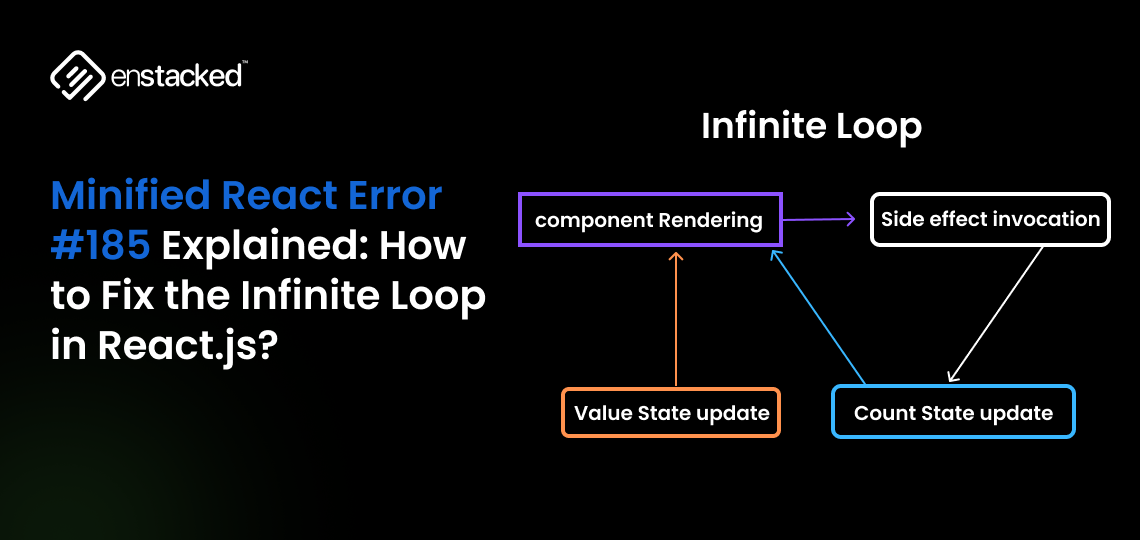
In plain terms, React has hit the Maximum update depth exceeded safeguard. That’s React’s way of saying: Something in your component keeps updating forever, and I had to stop it.
This usually happens when:
- A component keeps calling setState (or a state setter) inside componentDidUpdate or useEffect without proper conditions.
- Two components trigger updates in each other, creating a render loop.
- Logic that should stabilize keeps firing on every render cycle.
Well, keep on reading about Minified error #185, how it happens, and how you can resolve it. Let’s get started.
What is error #185 in Minified React?
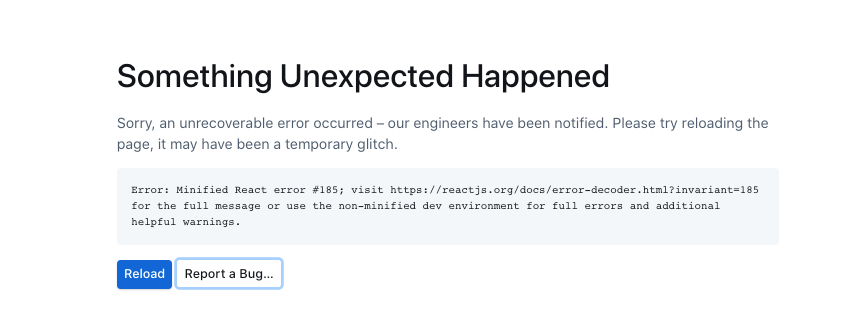
In production, React removes detailed error messages to keep bundles small. Instead, you see short numeric codes.
React.js error 185 means: Maximum update depth exceeded.
This happens when a component keeps updating itself (or another component) in a loop, and React stops it to prevent a crash.
When Does It Happen?
- Calling setState or a state updater inside useEffect or componentDidUpdate without proper conditions.
- Two components updating each other in a loop (parent ↔ child).
- A hook is running continuously because of a missing or wrong dependency array.
In short: Minified React Error #185 means your component got stuck in an infinite render loop.
Comparing frameworks to minimize these pitfalls? Our React vs Vue (2025 guide) breaks down stability and DX trade-offs.
How to fix Minified React Error #185?
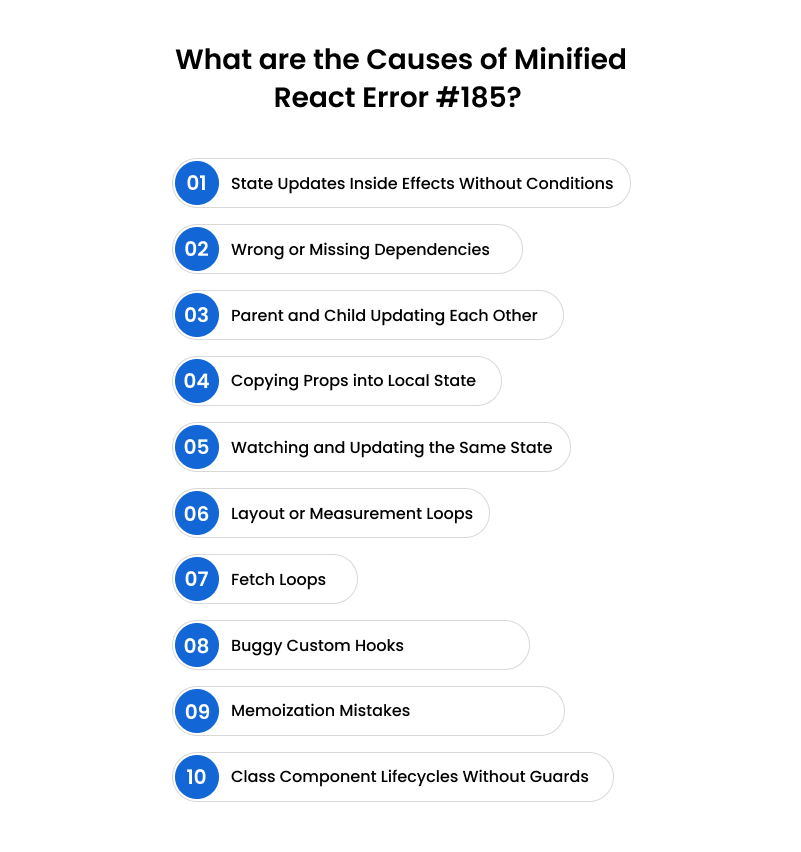
What is error #185 in minified React? Here are the most common patterns that trigger the loop and how to fix them.
1. State Updates Inside Effects Without Conditions
The problem: You put a setState (or state updater) inside a useEffect without a dependency array. That effect runs after every render, and since it updates state, React re-renders again… and again… until it throws React JS error 185.
The fix: Always add a dependency array to your effects. If you really need to update the state inside an effect, wrap it with a condition so it doesn’t fire endlessly.
Expert tip: The React team explicitly warns that calling setState inside update cycles is a red flag. Debug in the development build, where you’ll see the full descriptive error instead of the minified version.
2. Wrong or Missing Dependencies
The problem: A missing dependency array means your effect runs every single render. On the other hand, adding unstable values (like a new object or function created inside render) will trick React into thinking the dependency changed every time, retriggering the effect.
The fix:
- Add the correct dependency array.
- Use useCallback for functions and useMemo for objects/arrays so they don’t get recreated on every render.
Community lesson: A developer on StackOverflow discovered that passing a freshly created object into dependencies caused React error 185 every time. Memoizing the object fixed the loop.
3. Parent and Child Updating Each Other
The problem: Your parent updates state when the child changes, and the child updates when the parent sends a new prop. This creates a feedback loop that never ends.
The fix: Keep state management one-directional. Let either the parent or the child own the state, not both. If both need to communicate, add guards so updates only happen when values truly change.
4. Copying Props into Local State
The problem: A child component mirrors a prop into its own state, then pushes changes back up to the parent. The parent re-sends the prop, the child updates again, and you’ve got a loop.
The fix: Avoid duplicating props into local state unless you have a very specific reason. If you must, check that the values are different before updating.
5. Watching and Updating the Same State
The problem: An effect listens to a state variable, and then updates that same variable without checking if the value actually changed. That effect keeps firing on every render.
The fix: Compare the new value with the current one before setting state. Only update when there’s a real difference.
6. Layout or Measurement Loops
The problem: Using useLayoutEffect to measure elements and then writing those measurements into state can cause error 185 if you don’t check for changes. Even if nothing moved, React still re-renders endlessly.
The fix: Update the state only when the measurement is different from the previous value.
Expert tip: LogRocket notes that infinite fetch loops are one of the top causes of maximum update depth exceeded. So, you should never include the state you’re setting inside the effect’s dependency array unless necessary.
7. Fetch Loops
The problem: You fetch data inside an effect and update state with the response, but you also include that same state in your dependency array. Each state update retriggers the fetch, and the loop never ends.
The fix: Keep your dependency arrays clean. Don’t include the state you’re setting unless necessary. For API calls, depend only on inputs like url or query parameters.
8. Buggy Custom Hooks
The problem: A custom hook that updates state every render (without conditions) will cause any component that uses it to loop.
The fix: Audit your custom hooks. Make sure they don’t set state during render and that effects have proper dependency arrays.
9. Memoization Mistakes
The problem: You create a new object or function inside render and then pass it as a dependency to an effect. Since it’s a new identity every time, React thinks it’s different and keeps retriggering.
The fix: Wrap objects in useMemo and functions in useCallback to give them stable references.
10. Class Component Lifecycles Without Guards
The problem: In class components, calling setState inside componentDidUpdate without conditions is a guaranteed loop.
The fix: Always compare prevProps or prevState before setting state. Only update when something meaningful has changed.
Planning your stack decisions? Read React vs Node.js: rivals or teammates? for architecture guidance.
Key takeaway from our React.js developer: Minified React error #185 isn’t random; it always comes from uncontrolled updates that never settle. The solution is to add conditions, stabilize dependencies, and maintain one-directional state management. If you follow those principles, you’ll rarely see error 185 again in production.
Looking Ahead: What's Next for WordPress Telex?
Minified React error #185 may look cryptic in production, but what it really highlights is the importance of writing predictable, stable, and well-structured React code.
These loops don’t just break your UI, they interrupt user trust and slow down product momentum. Debugging them requires more than quick fixes; it calls for a systematic approach, experienced judgment, and a strong understanding of React’s rendering model.
This is exactly where Enstacked comes in. As a leading IT service company, we specialize in building and maintaining applications. You can hire dedicated developers who help you in keeping your digital products stable, scalable, and always up and running.
Frequently Asked Questions(FAQs)
You can’t (and shouldn’t) disable it. React throws error #185 to prevent your app from crashing the browser due to infinite loops. The correct approach is to fix the loop in your code, rather than suppressing the error.
Because React strips full error messages in production to reduce bundle size. You only see numeric codes like minified React error #185.
Use the official React error decoder: React Error Decoder. It maps the number to the full descriptive message.
No. It’s not a React bug. It’s almost always a bug in your app logic (infinite state updates, bad hooks, or circular parent-child updates).

