






Introduction
Picture this: You’re sitting at your favorite coffee shop, laptop open, dreaming up the perfect website for your new business. You can visualize exactly how you want that hero section to look, animated text sliding in smoothly, a pulsing call-to-action button, maybe some subtle background effects.
But then reality hits. You’d need to hire a developer, learn to code, or settle for a generic template that looks like everyone else’s.
What if I told you you don’t have to do all that, and you can actually get a website up and running without all that?
At WordCamp US 2025 in Portland, something remarkable happened.
WordPress co-founder Matt Mullenweg stepped onto the stage and demonstrated something that felt like magic, but was actually cutting-edge artificial intelligence.
He introduced Telex, WordPress’s experimental AI development tool, comparing it to popular “V0 or Lovable” prototypes. In just minutes, a developer created a sophisticated marketing animation without writing a single line of code. They simply described what they wanted in plain English.
Welcome to the future of web development, where WordPress Launches Telex as its answer to transforming website creation through artificial intelligence.
What Makes WordPress Telex AI Tool Different from Every Other AI Tool?

The internet is flooded with AI tools promising to revolutionize everything.
So, what makes the AI tool Telex WordPress special?
The answer lies in its laser-focused approach to WordPress’s unique ecosystem.
Unlike generic AI coding assistants that struggle with WordPress-specific conventions, this new WordPress AI tool understands the whole of the wordpress ecosystem.
Also Read: Learn more about the latest WordPress trends shaping the ecosystem
The system has been trained on WordPress development patterns, understanding not just how to write code, but how to write WordPress code.
It knows about:
- Gutenberg block architecture and React components
- WordPress coding standards and best practices
- Theme compatibility considerations
- Security and sanitization requirements
- Performance optimization techniques
- Accessibility guidelines
Integration with WordPress Playground: Testing Made Safe
This revolutionary testing environment allows you to run complete WordPress installations entirely in your web browser, no hosting required. Generate a block with WordPress Telex, download the .zip file, and install it in a Playground environment for testing.
This eliminates the friction and risk that made experimenting time-consuming and dangerous to live websites.
The Magic Behind the Scenes of the AI Tool Telex by WordPress!
Here’s where things get really interesting. When you describe what you want to WordPress Telex AI tool, here’s how it responds:
- Natural Language Processing: The AI analyzes your prompt for functional requirements, visual specifications, and interaction patterns
- WordPress-Specific Code Generation: It creates proper HTML structure, CSS styling, JavaScript functionality, and PHP integration code
- Package Creation: Everything gets bundled into a downloadable .zip file with proper WordPress plugin structure
- Compatibility Assurance: The generated code includes WordPress hooks, security measures, and compatibility considerations
The result? A complete, installable WordPress block that works just like professionally developed plugins.
Also Read: 10 Best IDX Plugins for WordPress in 2025
Current Realities of AI Tool Telex by WordPress: What Works (And What Doesn't)

Let’s be honest about where the WordPress Telex AI tool shines and where it currently struggles. WordPress has introduced this as an experimental AI tool.
The AI tool Telex consistently delivers excellent results for:
- Simple to moderate complexity blocks: Contact forms, image galleries, testimonial sections
- Standard interaction patterns: Hover effects, smooth scrolls, basic animations
- Content presentation: Hero sections, feature highlights, pricing tables
- Marketing elements: Call-to-action buttons, newsletter signups, promotional banners
These represent the “80/20” of WordPress development, the functionality most websites actually need.
Want to go further? Try these must-have WordPress plugins for extended functionality
Current Limitations to Understanding
Several areas consistently challenge the current WordPress Telex plugin capabilities:
- Complex business logic: Advanced user authentication, payment processing, and inventory management
- External integrations: Third-party APIs, advanced analytics, complex databases
- Highly customized functionality: Unique workflows, specialized industry requirements
- Advanced e-commerce features: Custom checkout processes, complex shipping calculations
Understanding these boundaries helps set appropriate expectations and identify projects where traditional development approaches remain more suitable.
What does This New WordPress AI Tool Bring for Different Users?
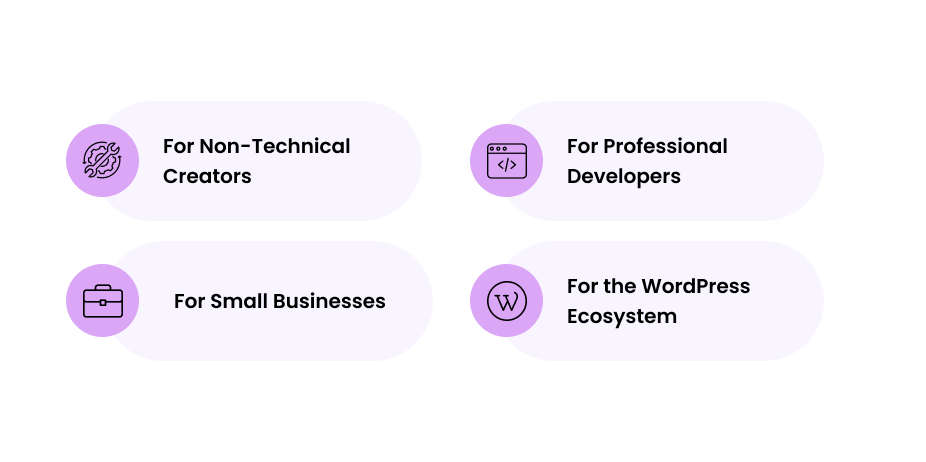
1. For Non-Technical Creators
Imagine you’re a food blogger who wants a recipe card that automatically calculates serving sizes, or an artist who needs a portfolio gallery with smooth hover effects. Before the WordPress Telex AI tool, you’d either:
- Pay a developer $500-2000 for custom functionality
- Spend months learning HTML, CSS, and JavaScript
- Settle for generic templates that look like everyone else’s
Now with this new WordPress AI tool: Simply describe what you want in plain English: “Create a recipe card with adjustable servings, ingredient scaling, and a print-friendly format.” Within minutes, you have a custom block ready to install.
2. For Professional Developers
WordPress Telex doesn’t replace developers; it makes them more valuable by eliminating tedious work. Instead of spending hours coding basic contact forms or simple animations, developers can focus on:
- Complex backend logic and database architecture
- Custom integrations with third-party services
- Performance optimization and security implementation
- Strategic consulting and user experience design
Not every project can be automated. For complex builds, integrations, or custom workflows, it’s smarter to hire a developer
3. For Small Businesses
Small businesses face a brutal choice: spend thousands on custom development or use cookie-cutter solutions that don’t fit their needs. WordPress Telex AI tool changes this equation entirely.
Before Telex:
- Custom contact form with business logic: $800-1500
- Interactive pricing calculator: $1200-2500
- Custom product showcase: $600-1200
- Total: $2600-5200 minimum
With WordPress Telex:
- All of the above: $0 (plus time to write clear descriptions)
- Iterate and refine without additional costs
- No ongoing developer dependency
4. For the WordPress Ecosystem
WordPress powers 43% of all websites, but many users only scratch the surface of what’s possible because customization requires technical expertise. Telex democratizes this power.
What this means:
- More Innovation: Millions of non-technical users can now experiment with advanced functionality
- Faster Adoption: New WordPress features become accessible to everyone, not just developers
- Economic Growth: Lower barriers to entry mean more businesses can afford sophisticated web solutions
The Bigger Picture: When WordPress makes advanced functionality accessible to everyone, it strengthens the entire open-source ecosystem. More users means more contributions, more plugins, more themes, and more innovation that benefits everyone.
Looking Ahead: What's Next for WordPress Telex?
As we look toward the future, WordPress’s all-new AI tool Telex represents just the beginning of a broader transformation. This innovation, part of Automattic’s AI push, streamlines workflows and positions WordPress at the forefront of AI-powered web development.
The future of WordPress development isn’t just artificial intelligence; it’s artificial intelligence that understands and amplifies human creativity. And that future is available for experimentation at telex.automattic.ai right now.
From Team Enstacked!

